Design tools for people who make things by hand
Trailhead is a free set of tools for creating just about anything you'd rather look printed than digital.
Everything runs in your browser. Photos you open stay on your device. Download the app, or install the Photoshop plugin directly.
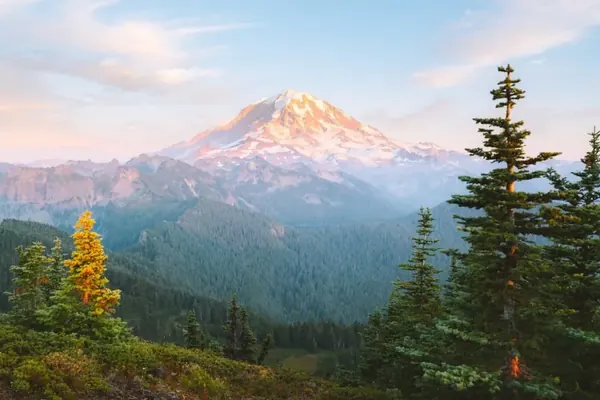 The photo
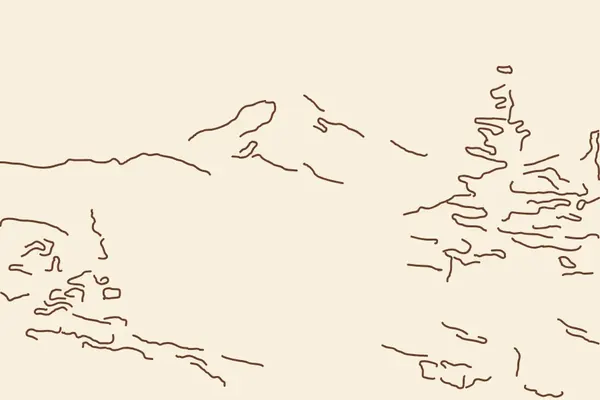 Line art
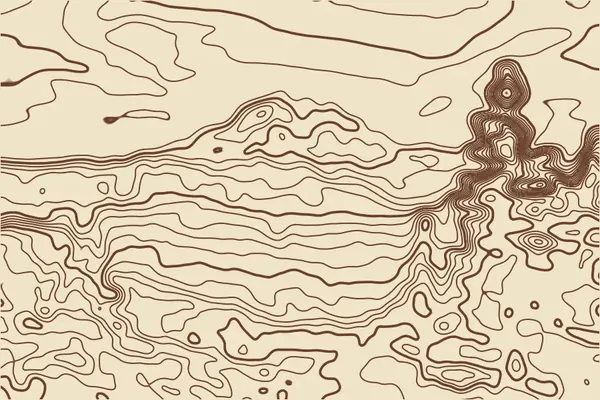 Photo to topo
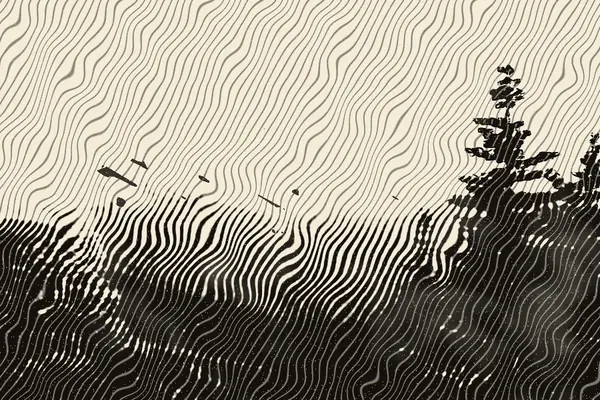 Linocut
Your favorites
What's here
From your shelf
What's new
- October 2026Five more tools and a lot of polish. A colorway grid, knitting and quilt charts, letterpress, a booklet maker and leaf prints. Plus search (press /), projects, a shelf for things you've saved, share links, and the site now works offline once you've visited.
- October 2026Seven new tools, new sections. Riso print shop, stitch patterns, paper-cut layers, sound prints, sky prints, growth patterns and the hand-drawn wiggle, with the site sorted into clearer groups.
- October 2026Cyanotype, live camera and carving sheets. Sun-print negatives with a timer, a camera that turns what you see into a print, linocut transfer sheets, and filters inside the Photoshop plugin.
Trailhead for Photoshop
A free panel for Photoshop. It runs Linocut, Photo to topo, Line art and Cyanotype on the photo you have open, and puts the result on a new layer. Its dither tool turns any photo into halftone dots, 1-bit pixels, riso grain or engraved lines in up to three inks, with an actual-size preview. It also opens files you save here straight from the zip, keeps all ten trail palettes a click away, pulls colors from your document, and paints paper grain, halftone and other textures.
Works with Photoshop 2023 or newer. Dither, textures and pulling colors need Photoshop 2024 or newer.
- 1
Download and unzip
You get Trailhead.ccx and a short README with these same steps.
- 2
Double-click Trailhead.ccx
Quit Photoshop first. The Creative Cloud app opens and warns that the plugin isn't verified by Adobe yet. Click Install locally, then OK.
- 3
Open it in Photoshop
Choose Plugins › Trailhead. Drag the panel into your dock to keep it there.
- 4
If the install fails
Some versions of Photoshop 2026 refuse plugins installed this way. Install Adobe's free UXP Developer Tool, unzip Trailhead.ccx into a folder, then use Add Plugin and Load. The README walks through it.
Palettes
Ready-made palettes, plus one you can grow from a single color. Pick a box to see every color's codes for print and screen, check that your text reads, and save swatches for Photoshop.
Michigan
make your own
does it read?
save it
Swatches come as an .ase file that Photoshop, Illustrator and InDesign all open, plus CSS and JSON copies. Click any color band to copy its hex code.
Gradient & shadow
Set a fill and the shadow under it, and watch both change on the card. Copy the CSS or save the fill as an image.
Type scale
Pick a base size and a ratio. Each step up is the one below it times that ratio, so 16px at 1.25 gives you 20, 25 and 31.
Image colors
Drop in a photo from the trail and see which colors it's really built from, and how much of the picture each one covers.
Letter maker
Draw each letter on the pad, or photograph a page of hand lettering and let the tool trace it. You get a font file you can install. A handful of letters is enough to start.
Tops go on the upper line and feet on the lower one. Tails, like the one on Q, can dip below.
Mood board
Collect the photos, colors and notes for a project in one place. Drag to move things. The corner handle resizes and the top handle rotates.
This is a sample board. Clear it when you want to start your own.
Drop or paste photos onto the board. Double-click a note to edit it, and press Delete to remove the selected item. The board is saved in this browser.
Adjust
Change the warmth, contrast and grain, or start from a preset look. Drag the slider under the photo to compare it with the original.
Blend modes
Put a layer over your photo and see all sixteen Photoshop blend modes at once. Click any thumbnail to see it full size.
Print effects
These copy old printing methods. Halftone turns the photo into dots, like a newspaper. Dither and posterize redraw it with a few inks, and duotone uses just two.
Texture maker
Paper grain, kraft fiber, ink speckle, halftone, worn stamp, linen and topo lines. Lay one over a flat digital design and it starts to look printed.
Line art
Turns a photo into a drawing with one line weight, like the Trailhead illustrations. Photos with a clear subject and a plain background work best.
Screen print
Splits your image into two or three ink layers, the way a screen printer or risograph would print it. Where inks overlap, they mix. You get a preview and the black-and-white plates a print shop asks for.
Poster maker
Choose one of the four Trailhead layouts, then add your words and art. The art can be your photo, your badge or your trail map, and the headline can use the font you made in Letter maker.
Badge maker
Round badges with words curved around the edge and a little drawing in the middle, for logos, stickers, patches and merch.
Trail map
Draw a route, add landmarks and labels, and the legend fills itself in. Use it for event maps, hike invites or directions to a wedding.
This is a sample map. Clear it when you want to draw your own.
Mockups
See your design on a tote bag, a tee, a framed print, a sticker or a postcard before you send it off to be made.
Art director
Checks a design against the Trailhead style rules: how many colors it uses, which trail palette it is closest to, how much contrast it has, and how busy it looks. It runs in your browser, so nothing is sent anywhere.
Print check
Checks a file against the size you want to print it at: sharpness, what gets trimmed, bleed, the safe area for text, and colors that look brighter on screen than ink can manage.
Red marks the bleed edge and the solid line is where the paper gets trimmed. Keep text inside the dashed line.
Photo to topo
Treats the light and dark in a photo as height and draws contour lines over it, like a hiking map. Bright areas become peaks and shadows become valleys.
Linocut
Makes a photo look carved into a block and printed by hand. Dark areas print solid, light areas are cut away, and the tones in between turn into gouge marks.
Cyanotype
Turns a photo into a negative for sun printing. Print the negative on transparency film, lay it on paper coated with cyanotype chemistry, and leave it in the sun. The preview shows roughly how the finished print will look.
expose it
These times are rough starting points. Every paper, batch of chemistry and day is different, so make a test strip first: cover the print with card and slide it back a little every few minutes. When the time is up, rinse the print in cool water for about five minutes, until the water runs clear. The blue deepens as it dries over the next day.
Living prints
Print something here, hang it up, then point a phone at it and it comes alive on the paper. The stars turn, the sound plays, the lichen grows, the lines shimmer. A small code on the print tells any phone which animation belongs to it, so friends can scan it too.
Lake color year
Pick a lake and a year, and Trailhead reads the color of the water from NASA satellite photos, one day at a time. You get the whole year as a print: winter ice, spring runoff, summer blue, algae blooms, fall storms. Then use those colors as a palette anywhere on the site.
Pick a place and press Gather the year. It reads about 365 small satellite images, which takes a minute or two.
Pocket scanner
Turn your phone into a scanner for Photoshop. Shoot a leaf, a pencil sketch, bark or a paper texture, and it lands in your open Photoshop document a few seconds later as its own layer. No cables, no AirDrop, no emailing yourself.
Not paired yet.
Clip lab
Color looks and effects for short video clips. Trim it, crop it for a post, give it the feel of slide film or a riso print, and turn moving water silky with a long exposure. Everything plays live, and nothing leaves your device.
Loading the example clip…
Cinemagraph
A still photo where one thing keeps moving. Paint over the part that should move, like falling water, steam from a mug or a flag, and everything else freezes. The loop is crossfaded so it never jumps.
Finding the motion in the clip…
Titles
Animated titles and name bars in the Trailhead fonts, laid over your clip. Good for the start of a trip video, a reel or a class project.
Rotoscope sketch
Turns a clip into a hand-drawn animation. Every frame is traced as ink lines on paper, the lines boil like a sketchbook flip-book, and you can add a watercolor wash or flat colors from a palette.
Moving type
Your words fill the frame in rows, and a drifting shape moves through them like a flock of starlings. Inside the shape the words print dark, and outside they fade to a whisper. Type anything, pick a shape, and save a loop that never jumps.
Golden hour
Relights a flat midday photo as sunrise, golden hour, sunset or blue hour. Click the photo to move the sun.
Live camera
Point your phone or webcam at something and watch it turn into a linocut, a topo map, line art or a cyanotype as you move. Take a photo to keep working on it at full quality. The video stays on your device and never gets uploaded.
Your browser will ask before the camera turns on.
Riso print shop
Splits a photo into two or three real risograph inks and shows how they'll overlap on paper, slightly out of line, the way a riso machine prints. You get one file per ink drum, ready to take to a riso studio.
Stitch pattern
Turns a photo into a cross-stitch or punch-needle pattern using real DMC floss colors. You get a printable chart with a symbol in every square, a floss list with how much of each color you need, and the finished size on your fabric.
Paper-cut layers
Splits a photo into layers from back to front, like sky, far ridge, near ridge and trees, for a layered paper cut or shadow box. Move your mouse over the preview, or tilt your phone, to see the depth. Each layer saves as a cut file for scissors, a craft knife or a cutting machine.
Sound print
Record a bird call, a creek or wind in the trees, and turn the sound into a print. Time runs left to right (or outward, for tree rings) and pitch runs bottom to top, so every chirp leaves its own mark. Your recording stays on your device.
Recordings can be up to 30 seconds long. Hold your phone close to the sound and keep still.
Or try an exampleSky print
Draws the night sky as it looked from a place at a moment, with the stars, constellations, Milky Way and moon where they really were. Make one for the night you camped somewhere, or the night someone was born.
Growth patterns
Grows patterns the way lichen, coral and moss spread, using the same chemistry math that explains spots and stripes in nature. Draw on it to plant new growth. Every run comes out different, and the pattern tiles seamlessly.
Hand-drawn wiggle
Makes still artwork shimmer like a hand-drawn cartoon, where every frame was traced again by hand. Pick something you made here or upload your own, then save it as a looping GIF or a video for social posts.
Colorway grid
Shows one design in every palette at once, so you can compare them side by side instead of trying them one at a time. Click a card to see it large.
Knit & quilt chart
Turns a photo into a colorwork knitting chart or a patchwork quilt layout. Knitting charts warn you about long floats. Quilts come with a cutting list and how much of each fabric to buy.
Letterpress
Sets your words, or a piece of art, as if they were pressed into thick cotton paper: a dent you can almost feel, ink squeezed toward the edges, and a little unevenness from a hand-inked press.
Booklet maker
Lays out a stapled booklet so the pages come out in the right order once you print, fold and staple. Add photos or art from any tool, put them in order, and it handles the shuffling that booklet printing needs.
Leaf print
Photograph a leaf, fern or flower on plain paper and this lifts it off the background as a clean shape. Use it as a silhouette, a sun print, a rubbing or a stamp, or send it to Cyanotype as a negative.
Your shelf
The last 30 things you saved from Trailhead, kept in this browser so you can grab them again. Nothing is uploaded. Clearing your browser data, or opening the site in a private window, empties the shelf.
Zine maker
Lay out an eight-page mini zine that prints on one sheet of letter paper. Fill each page with a photo, something you made here, or your own words. The tool puts the pages in the right order for folding.
folding it
- Print the sheet on letter paper, landscape, at actual size.
- Fold it in half the long way, then in half twice the other way to crease it into eight panels. Unfold.
- Fold it in half the short way and cut along the solid line, from the fold to the middle crease.
- Open it, fold it the long way again, and push the two ends together. The cut opens into a diamond. Keep pushing until it flattens into a booklet with the cover on the outside.
Pattern maker
Repeat little drawings into a pattern for wrapping paper, fabric, phone wallpapers or poster backgrounds. You can also turn any photo or texture into a tile that repeats without seams.
Stamps & patches
Turn your art into a postage stamp, an embroidered patch or an enamel pin, and see roughly how it would look made for real.
Field guide card
A page in the style of an old nature guide: a plate number, a title, your art with numbered points, and notes. Click the picture to add a numbered point.
Privacy
Last updated October 14, 2026.
Your photos and files stay with you
Every tool on this site runs inside your browser. When you open a photo, draw letters or build a poster, the work happens on your own device. The site does not upload your photos, drawings or designs to any server.
What gets saved on your device
To pick up where you left off, the site keeps a few things in your browser's local storage: your mood board, the letters you've drawn in Letter maker, your trail map, the last tool you had open, whether you picked light or dark mode, and your Pocket scanner pairing. They stay in this browser on this device. Nobody else can see them, including us.
To remove them, use Clear the board, Start over or Clear the map in each tool, or clear this site's data in your browser settings.
Downloads
Nothing saves to your computer until you press a save button and confirm the download.
Outside services
Two open-source code libraries load from the jsDelivr network when the page opens: ag-psd, which writes Photoshop files, and opentype.js, which builds fonts. Like any request on the web, jsDelivr receives your IP address and basic browser details when it sends them. Its practices are described in the jsDelivr privacy policy.
The site is hosted on GitHub Pages. GitHub's handling of visits is covered by the GitHub privacy statement.
Video
The Video tools play and edit your clip inside your browser. Clips aren't uploaded anywhere, and a saved video or GIF is made on your device.
Three tools that talk to other services
Living prints uses your phone's camera to find the print. The video stays on your phone and is never recorded or sent anywhere. The QR code on a living print holds the tool settings needed to rebuild the animation, and nothing else. The tracking library (MindAR) and the QR code library load from jsDelivr when you use the tool.
Lake color year asks NASA's Global Imagery Browse Services for small satellite images of the place and dates you pick. NASA receives those requests along with your IP address, as with any website. No photo of yours is involved.
Pocket scanner sends the photos you choose to send from your phone to your Photoshop panel. Before a photo leaves your phone it's encrypted with a key that only your phone and your panel have, then passed through ntfy.sh, a free relay service, which stores the locked file for up to three hours. Neither ntfy.sh nor this site can see the picture. The pairing is saved in your phone's browser until you press Unpair.
What the site doesn't do
No accounts, no ads, no analytics and no tracking cookies.
Changes and questions
If any of this changes, this page will be updated with a new date. Questions go to harastiaj@gmail.com.
Terms of use
Last updated October 12, 2026.
What you make is yours
You own the designs, images and fonts you make with these tools. Use them for personal or paid work.
Only use images you're allowed to use
Upload photos you took yourself or have permission to use. You're responsible for what you put into the tools and what you make from it.
The house fonts
TAY Dumpling and TAY Bread Pan are the site's house fonts. They aren't included in your downloads as font files, but text set in them appears in images you export. If you plan to sell products that use that lettering, check the license from the fonts' maker first.
Example content
The example photos were taken by the site's owner and are here for trying out the tools. Don't reuse them in your own work without asking. The palettes, textures, sample letters and maps are drawn by the site's own code, and you can use those however you like.
Check before you print
Print check is a guide, not a guarantee. Colors and sizes can still differ on paper, so ask your printer for a proof before you pay for a large run.
No warranty
The site is provided as it is, without any warranty. Save your work often, because browser storage can be cleared without warning.
Changes
These terms may change. The date at the top shows the latest version.
Credits
Fonts
TAY Dumpling and TAY Bread Pan, the Trailhead Studio house fonts, used under the site owner's license.
Open-source libraries
ag-psd by Agamnentzar, MIT License. It writes the layered Photoshop files.
opentype.js by Frederik De Bleser and contributors, MIT License. It builds the fonts in Letter maker.
MindAR by HiuKim Yuen, MIT License. It finds a living print in the camera view.
qrcode-generator by Kazuhiko Arase, MIT License. It draws the QR codes. QR Code is a registered trademark of DENSO WAVE.
aes-js by Richard Moore, MIT License. It locks Pocket scanner photos so only your Photoshop panel can open them.
The PNW palette in the Palette library is by Cindy Roaming Designs.
Data
The Michigan outline on the About page comes from the U.S. Census Bureau's cartographic boundary files, by way of us-atlas by Mike Bostock (ISC License).
We acknowledge the use of imagery provided by services from NASA's Global Imagery Browse Services (GIBS), part of NASA's Earth Science Data and Information System (ESDIS). Lake color year reads VIIRS and MODIS corrected reflectance imagery. Pocket scanner photos travel through ntfy.sh by Philipp Heckel.
Star positions and constellation lines in Sky print come from d3-celestial by Olaf Frohn, BSD 3-Clause License, which draws on the Hipparcos star catalog.
Embroidery floss colors in Stitch pattern: color data from craft-color-codes by MakeBead, CC BY 4.0. DMC is a trademark of DMC, and the screen colors are approximations of the real threads.
Riso ink colors are screen approximations of spot inks, as published by riso studios. Riso and Risograph are trademarks of Riso Kagaku Corporation.
Example clip
The waterfall clip in the Video tools is free-to-use stock footage supplied by the site owner.
Everything else
The example photos are the site owner's own. The textures, topo lines, icons, mockup scenes and example sounds are made in code for this site. The colors come from the Trailhead Studio design system.
Photoshop handoff
How to get your files from this site into Photoshop.
- 1
Save it for Photoshop
Press Save for Photoshop in any tool that has it, from Adjust to the Poster maker. On Palettes, press Save swatches.
- 2
Open it with the Trailhead panel
This site can't hand your browser a .psd or .ase file directly, so each one comes in a zip. If you have the Trailhead plugin, go to Plugins › Trailhead, press Open a Trailhead file and pick the zip. Without the plugin, double-click the zip to unpack it first.
- 3
Open the .psd
Your original sits on the bottom layer with the edit above it. Lower the edit's opacity, add a mask, or hide it to compare. Blend modes stay editable.
- 4
Load your swatches
The Trailhead panel adds them when you open a palette zip. To do it by hand, open the Swatches panel menu, choose Import Swatches and pick the .ase file.
A layered Photoshop document. Photo edits keep your photo's size, and a mood board comes in at 1600 × 1000 with each item on its own layer.
Adobe swatches that also open in Illustrator and InDesign. The zip includes CSS and JSON copies too.
A flat image, good for sharing or dropping straight into a layout.
Every line as a vector, so it scales to any size and opens in Illustrator.
Your own font. Double-click to install it, then restart Photoshop to see it in the font list.
A Photoshop plugin that opens these zips directly, runs the Linocut, topo, line art and cyanotype filters on any photo you have open, dithers it into dots, pixels or engraved lines in up to three inks, keeps all ten palettes in a panel, paints textures onto new layers, and takes photos straight from your phone. Download it from the home page. Once it's installed, it appears under Plugins › Trailhead.
About Trailhead
Trailhead is a small toolkit for people who make things: posters, zines, trail maps, gig flyers, a logo.
Build a palette from a photo of a mountain lake. Size the type for a gig poster. Add film grain to a photo, or split it into two inks for a screen print. When it's ready, open it in Photoshop with the layers intact.
I'm a graphic design student at Michigan State University, and I live in Michigan. Most of what's here comes from time spent outside, in national parks and on Michigan's lakes. The rest comes from studying anthropology, which keeps me interested in how people make things by hand.
Everything runs in your browser, and photos you open stay on your device. The privacy page has the details.
Questions, ideas, or something you made with Trailhead? Email me at harastiaj@gmail.com.
happy making
Places behind the palettes
The spots in Michigan that shaped this site. Pick one to open the palette that goes with it, or to read a year of its lake from space.